Using CMake

A while ago I was asking in Slack if anyone knew how to write CMake files for C++ projects that work across many platforms, including macOS, Ubuntu and Windows. One said that he has done something multiplatform with CMake, but doesn’t remember how and added:

“I hate tooling in development.”

I guess he referred to using CMake. I sort of agree with him but also not. For example, tying yourself in some specific IDE is not very useful. Only knowing how to work with some specific tools not available on many platforms limits the applicability of your skills. Moving to a different ecosystem or platform, requiring different tools will become more difficult and time consuming.

It is better to learn the lower level tools well, those tools which are shared across platforms and ecosystems. Then you can apply and use those wherever you are developing. That is why I prefer using git on command line — though I do have several git GUI tools installed.

Another thought that came into my mind is that software development without tools just doesn’t happen. We all use tools, whether it is vim, command line git and makefiles, or CMake, Xcode IDE and Fork for git. I prefer to use the tools that fit the problem. Like, if you are doing development for multiple platforms, with multiple compilers and IDEs, then for solving that problem, CMake is a good choice instead of makefiles. It liberates me from the lower level technical stuff of considering how to create makefiles for different OS’s and compilers, allowing me to focus on the actual problem to solve with those tools — creating some code and working systems.

I eventually found the way to create CMake files so that the project I am working on, can be build from the CMake files in Windows 10, Ubuntu and macOS. Also creating projects for Eclipse CDT, Xcode and Visual Studio is quite easy. I can also easily switch from using make to using Ninja as the build engine.

# Creating Ninja build files for a Qt app on macOS from CMake project
cmake -GNinja -DCMAKE_PREFIX_PATH=/Users/juustila/Qt/5.12.1/clang_64/lib/cmake ..
# Creating MSVC build files on Windows 10 from CMake project
cmake -G"Visual Studio 16" -DCMAKE_PREFIX_PATH=C:\Qt\Qt5.14.1\5.14.1\msvc2017_64\lib\cmake;C:\bin ..
# Creating Xcode project files on macOS from CMake project
cmake -GXcode -DCMAKE_PREFIX_PATH=/Users/juustila/Qt/5.12.1/clang_64/lib/cmake ..

What I learned recently is that it is possible to generate dependency graphs from the CMake project file with GraphViz:

# Create the Xcode project and also a dot file 
# for generating a dependency graph using GraphViz.
cmake -GXcode --graphviz=StudentPassing.dot ..
dot -Tpng -oStudentPassing.png StudentPassing.dot

CMake / GraphViz generated dependency graph of an app.

Resulting in a neat graphical representation of the dependencies of your project. Especially handy if you start working with a large system you do not yet know and want to study what libraries and other components it is built using. And teaching software architecture in practice, as I am currently doing: letting students analyse the structure of a system using available tools.

With CMake, I am able to easily combine document generation with Doxygen into the CMake project:

# In your CMakeLists.txt file:
find_package(Doxygen)
if (DOXYGEN_FOUND)
   configure_file( ${CMAKE_CURRENT_SOURCE_DIR}/doxyfile.in ${CMAKE_CURRENT_BINARY_DIR}/doxyfile @ONLY)
   add_custom_target(doc
      ${DOXYGEN_EXECUTABLE} ${CMAKE_CURRENT_BINARY_DIR}/Doxyfile
      WORKING_DIRECTORY ${CMAKE_CURRENT_BINARY_DIR}
      COMMENT "Generating API documentation with Doxygen" VERBATIM
   )
endif(DOXYGEN_FOUND)
# And then generate build files (e.g. for Ninja)
cmake -GNinja ..
# Do the build
ninja
# And then generate documentation using Doxygen 
ninja doc

I began this post with the question about multi platform development, where my problem originally was how to make all this work in Windows while Ubuntu and macOS was no problem.

For Windows, using CMake required some changes to the CMakeLists.txt project files; using CMake macros with add_definitions() due to using random generator engines for Boost uuid class that work differently on Windows than on the other platforms:

if (WIN32)
   add_definitions(-DBOOST_UUID_RANDOM_PROVIDER_FORCE_WINCRYPT)
endif(WIN32)

Windows also requires some extra steps in the build process, mainly due to the fact that while *nixes have a “standard” location for headers and libs (/usr/local/include and /usr/local/lib), in Windows you should specify with –prefix (Boost) or -DCMAKE_INSTALL_PREFIX (CMake) where your libraries’ public interface (headers, libs, dlls, cmake config files) should be installed and where they can be found by other components.
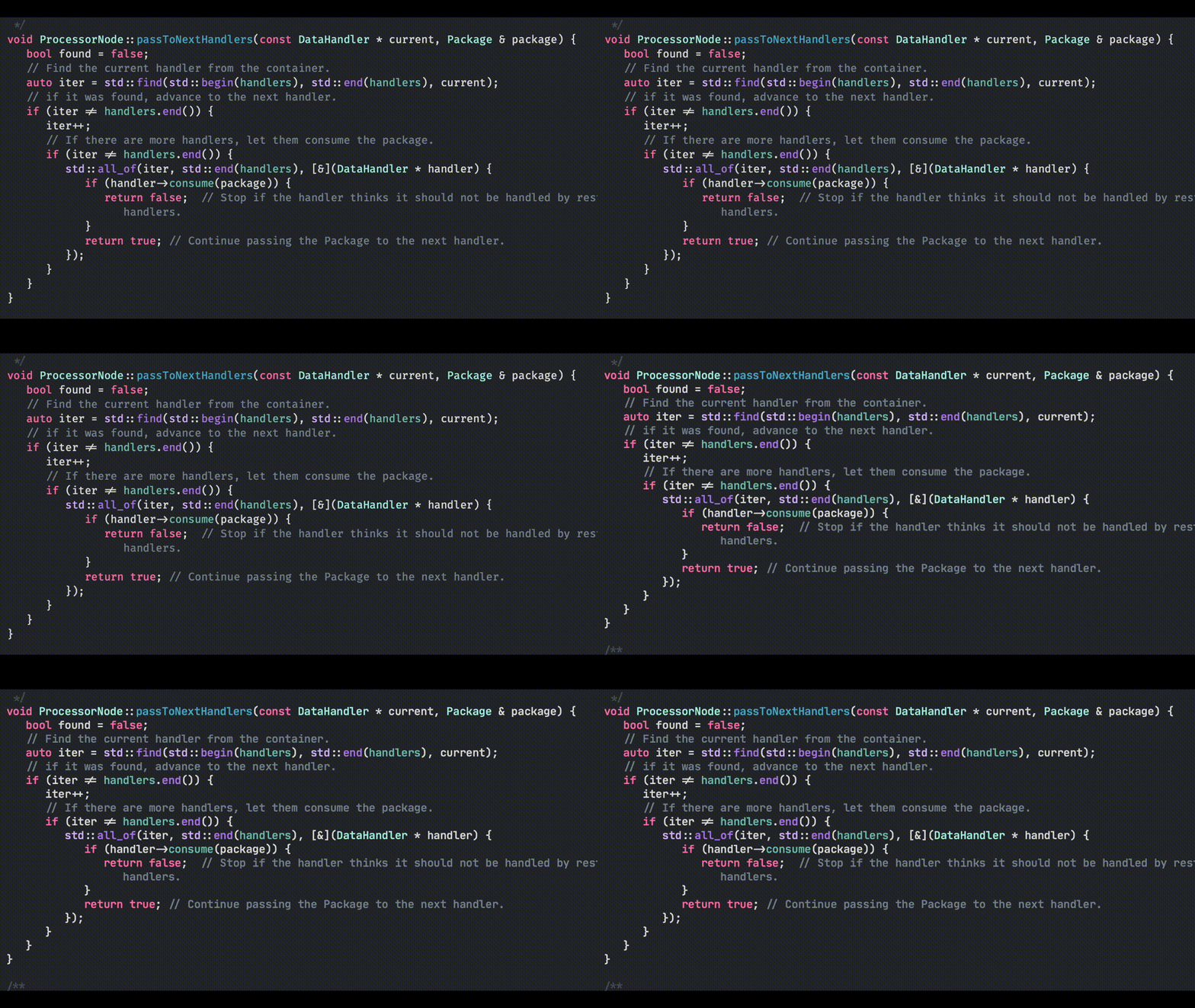

Fira Code or JetBrains Mono?

Subtle differences between the Fira Code and JetBrains Mono. I’ll try both for a while.

Click on the image to see gif animation of the font differences.

JetBrains Mono’s “r” and “g” have a simpler shape, one of the obvious differences.

Steps of creating the gif from command line on macOS:

  1. Take two screenshots with both of the fonts.
  2. Make a movie of them using iMovie.
  3. Save the movie clip as mp4.
  4. Install ffmpeg using brew: brew install ffmpeg
  5. Create the gif from the mp4:

ffmpeg -i FiraCodeOrJetbrainsMono.mp4 -r 15 -vf scale=1200:-1 which-font.gif

Adopting some newer C++ features

I’ve been continuously updating my skills in C++, adopting features from newer features of the language, like from the version C++17. For fun and learning, I’ve been updating some older apps to use these newer features, and implementing some new tools adopting newer features like std::variant, algorithms (instead of traditional loops) and attributes. Some examples below.

Attributes

Instead of commenting in a switch/case structure that fallthrough is OK, use the [[fallthrough]] attribute:

      switch (argc) {
         case 4:
            outputFileName = argv[3];
            [[fallthrough]];
            
         case 3:

Reader is then aware that the missing break; is not actually missing by accident, but intentional. Improves code readability and quality, and silences the compiler warning about the missing break.

To make sure the caller of the function handles the return value, use the [[nodiscard]] attribute:

[[nodiscard]]
int readFile(const std::string & fileName, std::vector<std::string> & entries);

Compiler will warn you that the return value is not handled. This again improves code quality.

nodiscard attribute warns you that essential return value is not handled.

Using using instead of typedef

I wanted to use a shorter name for a complex data structure. Usually done with typedef. Instead, using the using keyword, the one used usually with namespaces, is neat:

using queue_package_type = std::map<std::string, std::pair<int,int>>;
queue_package_type queuePackageCounts;

Or similarily:

using NodeContainer = std::vector<NodeView>;
NodeContainer nodes;
// ...
SPConfigurator::NodeContainer nodes = configurator->getNodes();
std::for_each(std::begin(nodes), std::end(nodes), [this](const NodeView & node) {
   std::string description = node.getInputAddressWithPort() + "\t" + node.getName() + "\t" + node.getOutputAddressWithPort();
   QString logEntry = QString::fromStdString(description);
   ui->LogView->appendPlainText(logEntry);
});

Small thing but makes better looking code, in my opinion. When working with templates, The alias declaration with using is compatible with templates, whereas the C style typedef is not.

Algorithms

In a recent post, I mentioned algorithms like std::iota and std::shuffle, useful in generating test data. When handling containers (vectors, lists), the “old way” is to use either indexes or iterators to handle the items. Implementing these carelessly may lead to bugs. The better alternative is to use algorithms from the standard library, readily developed and rigorously tested, also considering performance. An example from a small tool app I recently made, which searches if id values read from one file are contained in lines read from another file:

std::for_each(std::begin(indexes), std::end(indexes), [&matchCount, &dataEntries, &output](const std::string & index) {
   std::any_of(std::begin(dataEntries), std::end(dataEntries), [&matchCount, &index, &output](const std::string & dataEntry) {
      if (dataEntry.find(index) != std::string::npos) {
         *output << matchCount+1 << "   " << dataEntry << std::endl;
         matchCount++;
         return true; // Not returning from the app but from the lambda function.
      }
      return false;   // Not returning from the app but from the lambda function.
   });
});

std::for_each replaces loops created by using iterators (or indexes to the container), and when some additional logic is needed, std::any_of is a nice solution to end the search when a match is found.

A bit more complicated example, using std::find_if, std::all_of and a boolean predicate object assisting in the search when calling std::find_if. In this example (full source code is here), there is a composite design pattern implemented for handling hierarchical key-value -pairs. The code sample below implements removing a specific key-value pair from the object hierarchy.

/**
 A helper struct to assist in finding an Entity with a given name. Used
 in EntityComposite::remove(const std::string &) to find an Entity with a given name.
 */
struct ElementNameMatches {
   ElementNameMatches(const std::pair<std::string,std::string> & nameValue) {
      searchNameValue = nameValue;
   }
   std::pair<std::string,std::string> searchNameValue;
   bool operator() (const Entity * e) {
      return (e->getName() == searchNameValue.first && e->getValue() == searchNameValue.second);
   }
};

/**
 Removes and deletes a child entity from this Entity.
 If the child is not an immediate child of this entity, then it is given
 to the children to be removed from there, if it is found.
 If the child is a Composite, removes and deletes the children too.
 @param nameValue A child with the equal name and value properties to remove from this entity.
 @return Returns true if the entity was removed, otherwise false.
 */
bool EntityComposite::remove(const std::pair<std::string,std::string> & nameValue) {
   bool returnValue = false;
   auto iter = std::find_if(children.begin(), children.end(), ElementNameMatches(nameValue));
   if (iter != children.end()) {
      Entity * entity = *iter;
      children.remove(*iter);
      delete entity;
      returnValue = true;
   } else {
      // child was not an immediate child. Check if one of the children (or their child) has the child.
      // Use a lambda function to go through the children to find and delete the child.
      // std::all_of can be stopped when the child is found by returning false from the lambda.
      std::all_of(children.begin(), children.end(), [nameValue, &returnValue](Entity * entity) {
         if (entity->remove(nameValue)) {
            returnValue = true;
            return false;
         } else {
            return true;
         }
      });
   }
   return returnValue;
}

// And then call remove() like this, for example, with 
// key "customer", and value "Antti Juustila":
newComposite->remove({"customer", "Antti Juustila"});

What you get is more robust code without your own bugs implemented in “custom” loops with indexes and iterators.

std::variant from C++17

What if your app has some data that can be manipulated in two formats? For example, first you get the data from the network in JSON, and then later you parse the JSON string and create an application specific object holding that parsed data. Later on, you again export the data from the internal object type to JSON to be send over to the network.

You could implement this so that you have both the JSON/string object and the application internal class object in memory. Then just add logic to know which currently has the data and should be used, and ignore the other variable until it is needed. An alternative is to use the good old union to handle this, if you want to save memory. This could be quite complicated to implement.

C++17 provides a more well managed option — std::variant. When using union, you have to keep track what the union contains, but using the variant, it knows which type of object it is currently holding and you can check that.

Following the scenario above, a class could have a member variable holding the JSON in a string, or alternatively, after parsing it, in an application specific object, within an unique pointer assisting with memory management:

std::variant<std::string, std::unique_ptr<DataItem>> payload;

In the class containing the payload member variable, you can initialise it to an empty string:

Package::Package()
: payload("")

Then you can provide setters to change from one representation of the data to another:

// Set the data to be a JSON string:
void Package::setPayload(const std::string & d) {
   payload = d;
}
// ...or a DataItem object, parsed from the string:
void Package::setPayload(std::unique_ptr<DataItem> item) {
   payload = std::move(item);
}

When you access the data to use it somewhere, you can check what is actually stored in the variant and return it. If the representation is not the one requested, return an empty value or null pointer to indicate to the caller that the requested representation of the data is not available currently:

// Get the string, using std::get_if:
const std::string & Package::getPayloadString() const {
   auto item = std::get_if<std::string>(&payload);
   if (item) {
      return *item;
   }
   return emptyString;
}
// Get the DataItem, using std::get_if
const DataItem * Package::getPayloadObject() const {
   auto item = std::get_if<std::unique_ptr<DataItem>>(&payload);
   if (item) {
      return item->get();
   }
   return nullptr;
}

Next I’d like to take a look at how to use the new async programming features of C++, as well as the Boost asio library…