Advent of Code Day 2 – Red-Nosed Reports

I woke up early (not by choice) and read today’s part 1 puzzle description in bed and at breakfast coffee. The part 1 was relatively quick and easy to implement, among replying to emails. Code spoilers below.

Then I had other things to do, went for a run (7 km, really windy, cloudy and partly rainy), then sauna and lunch. I tend to take Monday mornings to myself since I teach from 12 until 18.30.

In between supervising students in Zoom (and handling emails), I worked on the part 2 of the puzzle. I tried to find a fancy mathematical way to handle the part 2 change to part 1. Couldn’t get any of those attempts to work (I am not a math person) so I ended up in recursively trying to remove a single element from the data to see if it then satisfies the puzzle problem.

I’m sure there is a fancy solution using cleverly all the Swift algorithms and data structures etc. My solutions tend to be plain old imperative programming style kind of solutions. Well at least I got it working, and it’s not slow:

$ swift run -c release AdventOfCode 2 --benchmark
Building for production...
[5/5] Linking AdventOfCode
Build of product 'AdventOfCode' complete! (1.84s)
Executing Advent of Code challenge 2...
Part 1: 663
Part 2: 692
Part 1 took 0.003531042 seconds, part 2 took 0.005103042 seconds.

This year’s puzzles (so far) do not require any especially fast ways to do things, though, data sets are small… Maybe they’ll come later.

Here’s the part 1 solution for today’s puzzle:

func part1() -> Any {
    var safeLines = 0
    let matrix: Matrix<Int> = parse(data: data)
    for lineNumber in 0..<matrix.height {
      let line = matrix.elements[lineNumber]
      let direction = line[1]! - line[0]!
      if abs(direction) > 3 || direction == 0 {
        continue
      }
      var lineIsSafe = true
      for columnNumber in 2..<line.count {
        let nextDirection = line[columnNumber]! - line[columnNumber - 1]!
        if direction.signum() != nextDirection.signum() || abs(nextDirection) > 3 || nextDirection == 0 {
          lineIsSafe = false
          break
        }
      }
      if lineIsSafe {
        safeLines += 1
      }
    }
    return safeLines
}

For Part 2 I implemented a recursive function to solve the partially safe lines to see if changing one level would satisfy the puzzle, limiting the level of recursion so that only one attempt is made to fix an issue in one of the items in the levels by removing it:

private func isSafe(_ line: [Int?], level: Int) -> Bool {
    var diffs: [Int] = []
    for index in 1..<line.count {
      diffs.append(line[index]! - line[index - 1]!)
    }
    let tooLargeDiffsCount = diffs.filter( { abs($0) > 3 } ).count
    let noDiffCount = diffs.filter( { $0 == 0 } ).count
    var dirChangeCount = 0
    for index in 1..<diffs.count {
      if diffs[index] != diffs[index - 1] {
        if diffs[index].signum() != diffs[index - 1].signum() {
          dirChangeCount += 1
        }
      }
    }
    if tooLargeDiffsCount == 0 && noDiffCount == 0 && dirChangeCount == 0 {
      return true
    } else if level < 1 {
      for index in 0..<line.count {
        var attempt = line
        attempt.remove(at: index)
        if isSafe(attempt, level: level + 1) {
          return true
        }
      }
    }
    return false
}

I might check later how others have solved the puzzle to see if I’d get some inspiration for other styles of solving the puzzle in Swift.
Advent of Code 2024 Day 1

Participating the Advent of Code this year, as far as I am able to. That is, depending on how busy I am at work and at home.

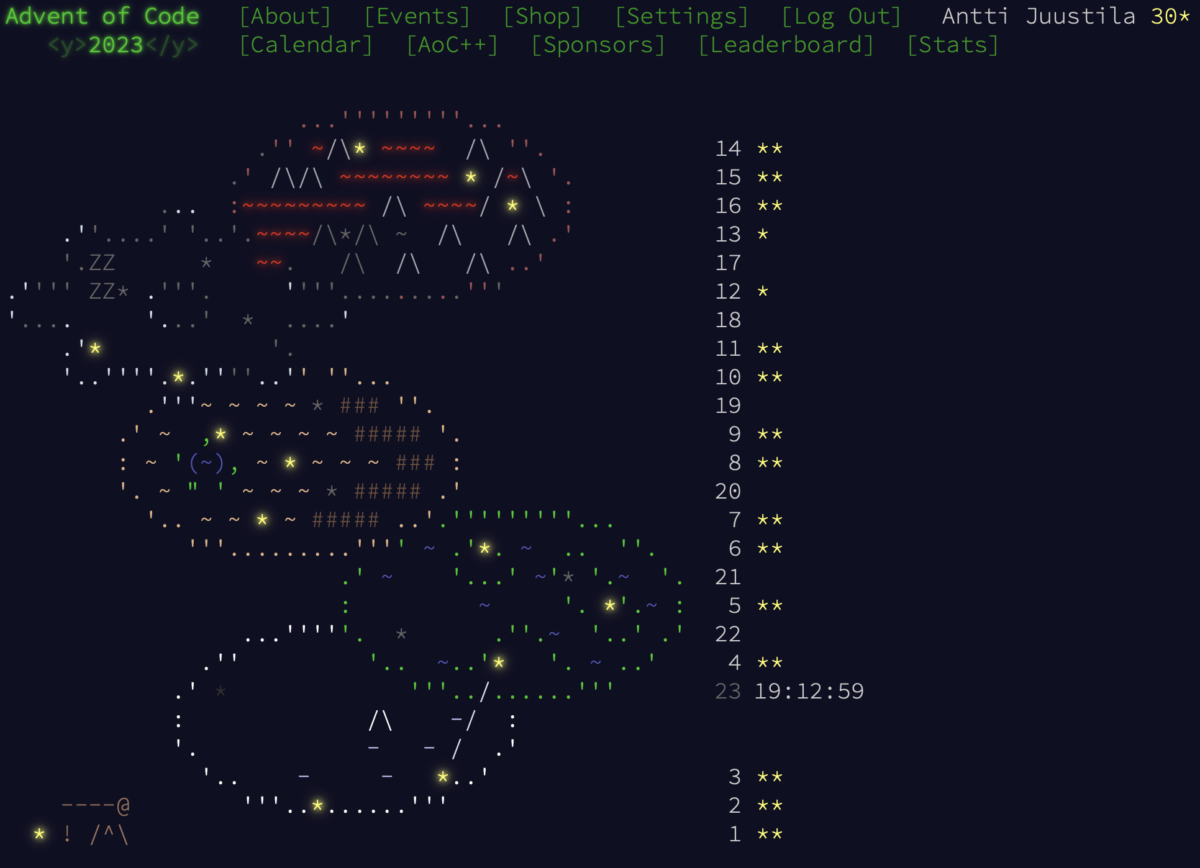
Last year I got 30 stars, about 15 days of participation, last day I got stars (2) was Dec 16th. I missed some second stars for some days. As warmup for this year, I finished one missing second star from last year, now totaling 31 stars out of 50.

For today, the first day, I got two stars:

$ swift run -c release AdventOfCode 1 --benchmark 
Building for production...
...
Build of product 'AdventOfCode' complete! (0.35s)
Executing Advent of Code challenge 1...
Part 1: 1938424
Part 2: 22014209
Part 1 took 0.000817167 seconds, part 2 took 0.0012365 seconds.

Update (16.40 pm): I took a closer look at the Part 2 and managed to get a significant (relative) performance increase:

Part 1 took 0.000780209 seconds, part 2 took 0.000682292 seconds.

Improved time of 0.000682292 seconds is 55% of the original time of 0.0012365 seconds so almost a half.

The goal here is basically to find how many times a value in table 1 appears in table 2. I first sorted both tables and used Swift filter() to filter out and count the matching values from table 2 (original timing above).

Then I changed it to a simple O(n2) loop without any sorting, which to my surprise performs nicely with the data where n = 1000 (only). That takes about 0.00098nn seconds, usually, better than the original solution using sorting and filtering.

Then I wanted to see how much time I can slice off when adding back sorting of the tables and then use binary search to search for the first occurrence of the value in the second table, and step through the equal values in the table 2, counting how many times they occur. This was the fastest solution. Thought the first was shortest in lines of code, this is much faster.

End update.

Not taking too much stress out of this, not aiming to be fast and do not attempt to be at top of the leaderboards. Today I am 33rd on private SwiftLang leaderboard, but may soon fall down.

I’ve heard last year was more difficult than usual. Last year was my first, and this year I am more prepared. I brought in some utility code I wrote last year to this year project, and also searched for some nice snippets from others, porting some code from other languages to Swift.

Advent of Code status update

Today (Dec 22nd…) I solved the Day 16 puzzle, using a graph data structure that I generalised from Day 8 implementation specific graph. I brute forced the part 2 of the puzzle. Probably would get it much faster if I would modify it to be a little bit more clever solution. Maybe won’t, since who cares.

I am still using Swift, though at some points I’ve considered if I should use C++ or Java. I could then utilise my old code. For example, graph data structure implementations done for teaching, with both Java and C++.

I got left behind at day 12, where the puzzle was the first one I had no idea how to start solving it. Maybe a bit too mathematical to my taste. The overall feeling with this puzzle was “meh…? :/” The first puzzle that I was not even interested to solve. Eventually I did solve the part one, but since brute forcing doesn’t really work with part two, I have not tried since. I did take a look at some solutions with Python and C++ from the community but didn’t follow their examples. I know memoization, it would help here, but with this data…

The next problematic puzzle was day 13, part 2. Part 1 was OK, but again for part 2 I would need to find a faster solution. Also, I do not manage to get the expected result using real data, although the unit tests with test data do pass. Maybe I will return to this after the holidays…?

I agree with those comments in the AoC community that some of the puzzle descriptions and/or test data are deliberately vague, perhaps to prevent or hinder using “AI” in solving the puzzles. The negative impact is that this also creates interpretation problems and requires deep dwelling into the input data. To find out why solutions that pass tests with test data, do not provide the correct answer with the real data. Oftentimes this helps, with the support from insights from the AoC community.

In addition to the generic graph data structure, I also implemented a generic Matrix (or Grid) data structure, to make it easier and faster to parse grid data (2D array) from the input data.

A code snippet in Swift: 
func parse<Character>(data: String) -> Matrix<Character> {
	var matrix: Matrix<Character> = Matrix()
	data.components(separatedBy: .newlines).forEach { line in
		if line.count > 0 {
			matrix.append(row: Array(line) as! [Character])
		}
	}
	return matrix
}
An algorithm to create a Matrix (generic 2D array) of characters from input data string.

When looking at some repositories from people participating for many years in AoC, they often have a good collection of tools to help in solving the puzzles. Since many puzzles are similar to ones in previous years, it helps when you just pick up what you need from the data structures and algorithms you already have, to build the solution. I have avoided the temptation to take these building blocks from others, and built my own. In case I participate again next year.

AoC has been a good learning experience seeing how others approach the problem solving. Like the one where I used a grid of characters. Some saw that you could interpret the symbols in lines of the grid as zeroes and ones, and then handle the data as arrays of bits or rows of integers, and use operations like xor to find differences in lines (arrays of bits/integer values). A thought like this vaguely passed through my mind but I never grasped it but let it pass, and continued away with grid / array based solution. A good reminder for me to consider to stop thinking for a while, instead of storming ahead with some idea that may not actually be so good in solving the puzzle.

Apart from moments of frustration and lack of motivation with some puzzles, AoC has been fun so far. Some participants have commented that this year is more challenging than the previous ones. Probably I’ll try to finish all this year puzzles, although late. Positions in leaderboards are not too important for me, but it is nice to see that I managed to stay in top-50 in Swift leaderboard after checking in day 16 solution.

Probably will fall in position since Christmas preparations are going to start full speed today, and I haven’t bought yet a single present to anyone…. It helps a bit that both my kids and their families are not in town until January and we’ll celebrate with gifts then.

Advent of Code – hanging on, so far

I’ve solved all the puzzles by now, both part 1 and 2. Some have been quite tricky to solve. Other issues I’ve had — mainly stupid parsing problems.

Having an effective parser would be something that helps. Also, as someone suggested in the Swift forums, a (generic) grid would help since apparently many puzzles have a grid to navigate.

Already today I thought that the puzzle could be done using a graph. Went for maps (dictionaries) and arrays again, though. Unfortunately all my graph implementations I could reuse are either in Java or C++, and I’ve been doing everything so far in Swift. Maybe I’ll prepare a Graph struct/class in Swift just to be ready when it is needed….

Today’s part 2 was hard in a sense that the solution took almost eight minutes to run on my Mac Mini M1. Surely there should be a way to optimise. But — won’t do that, I already passed the challenge. I still am busy with teaching, so all these puzzles are done on extra time.

Anyways, today I rose to position 16 on private AoC Swift leaderboard. Even though I am not competing and skipping a day or failing a puzzle is no issue to me, it is nice to see that I do relatively well – so far…

By now I’ve used Sets, Dictionaries, arrays, ranges, string manipulation, string splitting, enumerations, and those grid operations. Let’s see what comes up tomorrow…

Advent of code day 1

The accompanying challenge doggie

For the first time, I started the Advent of Code challenge. I’ll be working with Swift using the AoC project template from Apple folks in GitHub, announced in the Swift discussion forums.

Got the two stars from the first day of the challenge. ? and rewarded myself with the traditional Friday pizza with red wine ??

Part two of day one required some interpretation. I finally got the idea and finished with success.

Don’t want to spoil the challenge but I did the part two in two different ways:

  • Going through the input string using String.Index, character by character, picking up words of numbers (“one” etc) converting them to digits (“1”) to a result string. This should be O(n) where n is the number of chars in the input data string.
  • Replacing words using Swift String replaceOccurrences using two different Dictionaries. This has two consecutive for loops iterating two dictionaries replacing text in input string using keys in dictionaries (eg “oneight”) with values (“18”) in dictionaries. This should be O(n*m) where m is the number of entries in the two dictionaries (ca 15 +/- some), n being the number of characters in the input string.

Surprisingly, the first option took 12 secs as using the higher APIs took only 0.007 secs. Maybe I did the first wrong somehow or Swift String index operations are really slow here because of Unicode perfectness. I’ve understood that the collections APIs used with strings are not so picky about Unicode correctness.

Otherwise I used conditional removal of characters that are letters from the string, map algorithms to map the strings containing numbers to integers and reduce algorithm to calculate the sum.

Challenges like this are a good way to brush up my skills. And learn more about Swift. I added myself to the Swift leaderboard to see how other Swift programmers do.

Tomorrow is the day two. Should have time for that in the morning since I wake up early nowadays, both because of myself and the dog. He is already 14+ years and having health issues unfortunately. Meaning early wake-ups every now and then.

The end part of the AoC maybe a real challenge because of all the Christmas hassle in the house. And the busy end of the semester at the university. Interesting to see how far I get and with how many gaps.

Fast Index Order in Binary Search Tree

So, you can use a Binary Search Tree (BST) to store and quickly access key-value pairs. Usually the key gives the position of the value element in the tree. You place smaller values in the left side, and larger values in the right side of the tree.

A sample BST unbalanced, having 13 nodes in the tree. Key in the BST is the person’s name in ascending order.

Finding by key value is O(log n) operation. Starting from the root node of the tree, comparing the key, you can choose which subtree to continue searching for the key. If the BST is balanced, you need to only do O(log n) comparisons at most to get to the key-value pair you wish to find. Like searching for Jouni Kappalainen takes four comparisons from the root and it is found.

The tree contents in key order shown in a Java Swing table view. Order is by BST key order.

Note that the numbers in each tree node picture above is the number of children of that specific node. For example, Kevin Bacon has zero children, as Samir Numminen has five, and the root node has 12 children.

How about if you want to treat the BST as an ordered collection, each item in the tree accessible by index, as you would do with an array? Like, “give me the 6th element in the tree (element at index 5), when navigating in-order, from smallest to largest key in the tree”. In the sample tree above, Kappalainen would be in the index 5 (zero based indexing). Kevin Bacon’s index would be zero since it is the first element in-order. Root node would be at index 1 in this sample tree.

The obvious thing to do would be to traverse the tree in-order, counting indices from the lowest left side node (Bacon) with index 0 (zero) and then continue counting from there until you are at the index 5 (Kappalainen).

Sample tree with in-order indices added in blue. Compare this to the GUI table order and you see the indices are correct.

This works, but the time complexity of this operation is O(n). If you have, let’s say a million or more elements in the three, that is a lot of steps. Especially if you need to do this repeatedly. Is there a faster way to do this?

The faster way is to use the child counts of the tree nodes to count the index of the current node (starting from the root), and then use that information to decide if you should proceed to left or right subtree to continue finding the desired index. This makes finding the element with an index O(log n) operation, which is considerably faster than linear in-order traversal with O(n).

For example, consider you wish to find element at the index 5. Since the root node’s left child has zero children, we can then deduce that the root node’s index is zero plus one, equals one. Therefore at the root you already know that the element at index 5 must be at the right subtree of the root. No use navigating the left subtree.

Also, when going to the right child from the root, you can calculate the index of that node, Töllikkö. Since Töllikkö is after the root node, add one to the index of root node, therefore the current index being two (2). Then, since all Töllikkö’s left children are in earlier indices, add the child count of Töllikkö’s left subtree, which is 8, to the current index, having current index of ten (10). And since the left child node must be counted too, not just its children, we add another one (1) to current index, it now being 11. So the index of Töllikkö is 11.

Now we know that since we are finding the index 5, it must be in the left subtree of Töllikkö, so we continue there and ignore Töllikkö’s right subtree.

Moving then to Kantonen, we need to deduct one (1) from the current index, since we moved to earlier indices from Töllikkä, current Index being now 10. This is not yet Kantonen’s index. We need to deduct the number of children in Kantonen’s right child + 1 from the current index, and will get 10 – 6, having 4. That is Kantonen’s index.

Since 4 is smaller than 5, we know we need to proceed to the right subtree of Kantonen to find the index 5. Advancing there, in Numminen, we need to add 1 to the current index since we are going “forward” in the index order to bigger indices, as well as the count of children + 1 (the subtree itself) in Numminen’s left subtree, in so current index (Numminen’s) is now 6.

Since 6 < 5 we know to continue searching the index from Numminen’s left subtree there we go (to Kappalainen), deducing one (1) from current index, it now being 5. Now, earlier, when moving to left (to Kantonen), we also deducted the number of children in Kantonen’s right subtree. But since Kappalainen has no right subtree, we deduct nothing.

Now we see that current index is 5, the same we are searching for. So, we can stop the search and return Kappalainen as the element in the index 5 in the tree.

Using this principle of knowing the count of children in each tree node, we can directly proceed to the correct subtree, either left or right, and therefore replacing the linear in-order search with faster logarithmic search. With large data sets, this is considerably faster.

While demonstrating this to students using the course project app TIRA Coders, we saw that loading 1 000 000 coders to the course TIRA Coders app, the O(n) index finding operation (required by the Java Swing table view) made the app quite slow and sluggy. When scrolling, the app kept scrolling long time after I lifted my hand off the mouse wheel. Swing Table view was getting the objects in the visible indices constantly while scrolling and as this is O(n) operation, everything was really, really slow.

When replaced by the O(log n) operation described above, using the app was a breeze even with the same number of one million data elements in the BST; there was no lags in scrolling the table view nor in selecting rows in the table.

So, if you need to access BST elements by the index, consider using the algorithm described above. Obviously, for this to work, you need to update the child counts in parent nodes while adding nodes to the BST. If your BST supports removing nodes and balancing the BST, you need to update the child counts also in those situations.

(I won’t share any code yet, since the students are currently implementing this (optional) feature with the given pseudocode in their BST programming task.)

New GUI for teaching data structures and algorithms

Next Fall is the fifth time when I teach the course Data Structures and Algorithms. I received the course on 2019 and after a year of familiarising with the course, started developing it.

First I switched from C to Java and implemented automated unit tests to verify the correctness of student implementations. Some unit tests also measured time performance with varying numbers of n. The measurements were then used to support the time complexity analysis of the implementations, in addition to analysing the pseudocode and implemented algorithms. Comparing the implemented fast algorithms and data structures to slower ones was also one of the things students did.

All this to support the students to learn to see the difference between algorithms and helping them to decide which algorithm or data structure to use in whatever situation. Many times a simple algorithm suffices and simple array and plain loops are enough. But sometimes, something more is needed.

In the last two years, one or two exercise tasks had a graphical user interface (GUI) instead of a console UI, most of the tasks have. The feedback from the students was that seeing the actual effect on using faster and better data structures and algorithms in a GUI was a very nice thing to have. It really gave them a tangible view on the benefits of using these algorithms (like partitioning a large array) and data structures (finding a path using Dijkstra’s algorithm in a maze game).

Based on this student feedback, I decided to implement a GUI to all exercise tasks for the Fall 2023 course. The experiment I want to make is to see if having a GUI helps in motivating the students to work on and learn from the course exercises, compared to the more common console UIs and seeing the results of unit tests passing (or not).

Yesterday the first version of the GUI was finished, including all the exercise tasks to teach concepts like:

  • sorting an array with simple (and slow, with large n) insertion sort algorithm,
  • sorting to both ascending and descending order using the Java Comparator interface,
  • searching using linear search algorithm,
  • after sorting, implementing faster search using binary search,
  • implementing a Stack to verify a JSON file has no issues with parentheses nor quotation characters,
  • implementing a Queue to implement a “call list” (either using an array or a linked list as the internal data structure of the Queue),
  • when dealing with larger data sets, using faster sorting algorithms like quick sort, heap sort or merge sort,
  • to make handling large data sets faster in adding data elements and searching for them, using a binary search tree as the data structure,
  • using a hash table to count the number of unique words used in a text file and list the top 100 words with counts (a classical problem in data structures and algorithms), and finally,
  • using a graph data structure and associated algorithms (like Dijkstra’s) to find a shortest path between two data items.

So in addition to the already existing unit tests and time efficiency measurements, to verify the correctness and time performance of their data structure and algorithm implementations, next Fall they will also see these working in a “real life” application, the TIRA Coders Phonebook app:

TIRA Coders Phonebook app screenshot. Picture includes text highlighting how all the various algorithms and data structures are included in the app.
TIRA Coders Phonebook app screenshot

Each of the smaller windows and dialogs appear when the feature is used from the menu of the application.

On the lower right corner, there is a log window displaying time performance data when executing the different algorithms; filling the data structures, sorting the data, searching for data, etc.

Students are able to load phonebooks of different sizes, from 100 coders up to 1 000 000 coders, and see how their implementations of different data structures and algorithms cope with various numbers of n.

I still need to work on this app more, making sure that when I remove all the solutions for the data structures and algorithms I’ve implemented, the app is still functional enough to be a starting point for the students to start working on the course exercise tasks.

I also need to carefully point to the students the parts of the code they need to work upon, and parts of the code they do not need to care about, not to get confused by the things not relevant in learning the course topics.

It will be exiting to see, in a couple of months, how this works out and if having the GUI helps in learning or motivates students to work on the tasks.

New version of SortSpectacle

My sorting algorithm learning tool / demo app SortSpectacle now includes a new method, Block sort.

Block sort is a variant of Merge sort. Merge sort uses additional arrays to recursively divide the original array into smaller arrays which are then sorted and combined to a final sorted array.

Block sort is an in-place variant of Merge sort. It uses a small cache to move elements around. Thus it is more memory efficient than Merge sort. And according to the demo app, also quite fast.

I still need to implement the step-by-step version of the algorithm — without it the execution is not animated. But if you take a look a the implementation (a Swift port I did based on the Java code WikiSort implemented by Mike McFadden), you can see that it will be quite a challenge to do…

Also it was quite nice to read in Twitter that someone is actually using my sorting algorithms in their own Swift/SwiftUI app to demonstrate the new SwiftUI Charts in action!

Anyhows, here’s a YouTube demo video showing the new version in action:

Swift tree structures: value types, enums and classes

What if you need to define a tree like structure of data elements in Swift? For example you might use a Binary Search Tree to keep track of unique words in a book file:

A tree structure where each node in the tree has optional two child nodes, left and right. Each node has two values: the word found in the book, and the count how many times the word appeared in the book.
An example of a binary search tree with unique word counts from a text file.

Since value types are often preferred in Swift, you could use a struct. The Node struct contains the word, the count of it in the book, a key to manage the tree, and optional left and right child nodes of the tree.

struct Node {
   let key: Int
   let word: String
   var count: Int

   var leftChild: Node?
   var rightChild: Node?

   init(_ word: String) {
      key = word.hashValue
      self.word = word
      count = 1
   }
}

But as you can see from the error message “Value type ‘Node’ cannot have a stored property that recursively contains it” — recursive value types are not supported in Swift. A Node in the tree struct cannot contain the left and right child nodes when using value types.

What to do? You have (at least) two options:

  1. Use the enum type with associated values.
  2. Use classes.

With Swift enums, you can define two states for the enumeration. Either a) the node in the tree is Empty (there is no node) or b) it has associated values in a Node — the word, the word count, key used to arrange the nodes in the tree by the word hash value, and the optional left and right subtrees:

indirect enum EnumTreeNode {
   case Empty
   case Node(left: EnumTreeNode, hash: Int, word: String, count: Int, right: EnumTreeNode)

   init() {
      self = .Empty
   }

   init(_ word: String) {
      self = .Node(left: .Empty, hash: word.hashValue, word: word, count: 1, right: .Empty)
   }

   func accept(_ visitor: Visitor) throws {
      try visitor.visit(node: self)
   }
}
A tree node as an enumeration with associated values.

When defining recursive enumerations, you must use the indirect keyword to indicate recursion in the enumeration.

The other option is to use classes, which are reference type elements in Swift:

final class TreeNode {
   let key: Int
   let word: String
   var count: Int

   var left: TreeNode?
   var right: TreeNode?

   init(_ word: String) {
      self.key = word.hashValue
      self.word = word
      count = 1
   }

You can read more about Swift structs and classes from here if you are unfamiliar with them.

Check out the full implementation of both class based and enum based solutions from this GitHub repository.

So, are there any other differences in the enum and class implementations, than the differences in code?

Let’s check out. First run below is using the enum implementation, and the second one is executed using the class based implementation.

> swift build -c release
> .build/release/bstree ../samples/tiny.txt ..samples/ignore-words.txt 100
...
Count of words: 44, count of unique words: 32
>>>> Time 0.0008840560913085938 secs.


> swift build -c release
> .build/release/bstree ../samples/tiny.txt ..samples/ignore-words.txt 100
...
Count of words: 44, count of unique words: 32
>>>> Time 0.0009189844131469727 secs.

So far so good. Both implementations work (not all results not shown above) and seem to be quite fast. The tiny text file contains only 44 words of which 32 are unique.

But when executing both implementations with a larger 16MB file with 2674582 words of which 97152 are unique…:

> .build/release/bstree ../samples/Bulk.txt ..samples/ignore-words.txt 100
...
Count of words: 2674582, count of unique words: 97152
 >>>> Time 16.52852702140808 secs.


> .build/release/bstree ../samples/Bulk.txt ..samples/ignore-words.txt 100
Count of words: 2674582, count of unique words: 97152
 >>>> Time 3.5031620264053345 secs.

You can see that the first enum based implementation took 16.5 secs to process the same file the class based implementation only took 3.5 secs to process. This is a significant difference. Why this happens?

Swift enums behave like value types. When the algorithm reads a word from the book file, it searches if it already exists in the tree. If yes, the old enum value is replaced with the new one in the tree. This results in copying the tree since it is now mutated. The Swift book says:

“All structures and enumerations are value types in Swift. This means that any structure and enumeration instances you create—and any value types they have as properties—are always copied when they’re passed around in your code.”

— Swift Language Guide

So whenever a node in the tree is modified, that results in copying the tree. When you change the tree by adding to it, the tree is copied. Using classes this does not happen. The excessive copying of the tree nodes is a performance killer when having very large data sets to handle.

There is also a performance penalty in using classes — each time a class instance is accessed, the retain / release count is updated. But as you can see, still the implementation is much faster compared to copying the structure with value types.

Summarizing, enums are a nice way to implement recursive data structures. If you have large data sets and/or the tree or tree nodes are updated often, consider using classes instead.

Java file management, hall of fame and a nice surprise

In the previous post I mocked the Java app that was hardcoded to use Windows C: disk as the default place to open files.

What then is the recommended way? One is to start looking from the user home directory:

JFileChooser fileChooser = new JFileChooser();

fileChooser.setCurrentDirectory(new File(System.getProperty("user.home")));

Or pick the documents directory. It is also a nice thing to save the selected directory and use that if the user would like to continue with the already selected directory next time.

What else is happening? It is now the last week of the course Data Structures and Algorithms I am responsible teacher. Students have been analyzing algorithm correctness and time complexity, implementing basic data structures, more advanced ones like hash tables and hash functions, binary search trees and binary search.

Lectures addressed graphs and graph algorithms too, but implementation of these was in an optional course project only, Mazes. When students finish that, they can play a game a bit like the PacMan.

They get to choose from two course projects: either that Mazes project or optionally implement the classic task: count the unique words from a book file, ignoring some words from another file. The largest test file is around 16 MB, having almost 100 000 unique words.

Processing the largest file, using naively two nested for loops takes on my Mac Mini M1 with 16MB of memory around two minutes to process. The fast versions (hash tables, binary search trees) take less than a second.

I have implemented several different solutions for comparison with three different programming languages, Java, Swift and C++. Each week in lectures I demonstrated some of these, and in the end we had this table for comparison (sorry, in Finnish only).

Hall of Fame of the different Books and Words implementations. Swift versions can be found from the link above to GitHub.

As you can see, the C++ with 8 threads was the fastest one. Next after C++ came a couple of Java versions. Swift implementations were not so fast as I expected. After some profiling, I suspect the reason is in the way Unicode chars are handled in Swift. All the book files are UTF-8 and students were expected to handle them correctly. I do not like that mostly in teaching programming languages the default is to stick with ascii and conveniently forget the existence of different languages and character sets.

Well, anyways, for some reason, processing these UTF-8 text files takes a lot of time with Swift. Maybe later I have time to find out if the issue is in my code and/or is there anything that can be done to speed things up.

Something very nice happened a week ago — the student guild of our study program, Blanko, awarded me this diploma for being a quality teacher. Apparently they had a vote and I somehow managed to come first this time. The diploma was accompanied by this Italian themed small gift box. A really nice surprise! I was so astonished to receive this, thank you so much if anyone of you is reading!

Nice award from the students for quality teaching.